Seedream 5.0-Preview: A Comprehensive Review of the New AI Image Generation Benchmark
In the field of AI image generation, the pace of technological iteration is staggering. In early 2025, ByteDance's Dreamina officially launched the Seedream 5.0-Preview version. This highly anticipated AI image generation model has once again raised industry standards with its three core capabilities: real-time web search, precise editing control, and intelligent logical reasoning. As one of the most advanced AI image generation tools available, Seedream 5.0-Preview not only achieves significant technical breakthroughs but also demonstrates unprecedented creative freedom in practical applications.
This article provides a comprehensive analysis of Seedream 5.0-Preview from multiple dimensions including technical principles, core features, practical application scenarios, and comparisons with other versions.
I. Core Highlights of Seedream 5.0-Preview
1. Real-Time Web Search: Keeping AI Creation in Sync with the Times
One of the most notable innovations of Seedream 5.0-Preview is its first-ever support for search-based image generation. This feature fundamentally changes the history of AI image generation being disconnected from real-world information.
Strong Timeliness in Creation
Traditional AI image generation models are limited by the cutoff date of their training data and cannot generate image content involving the latest events, emerging trends, or real-time hot topics. Seedream 5.0-Preview, through its web search capability, can retrieve the latest information from the internet in real-time and incorporate it into the image generation process.
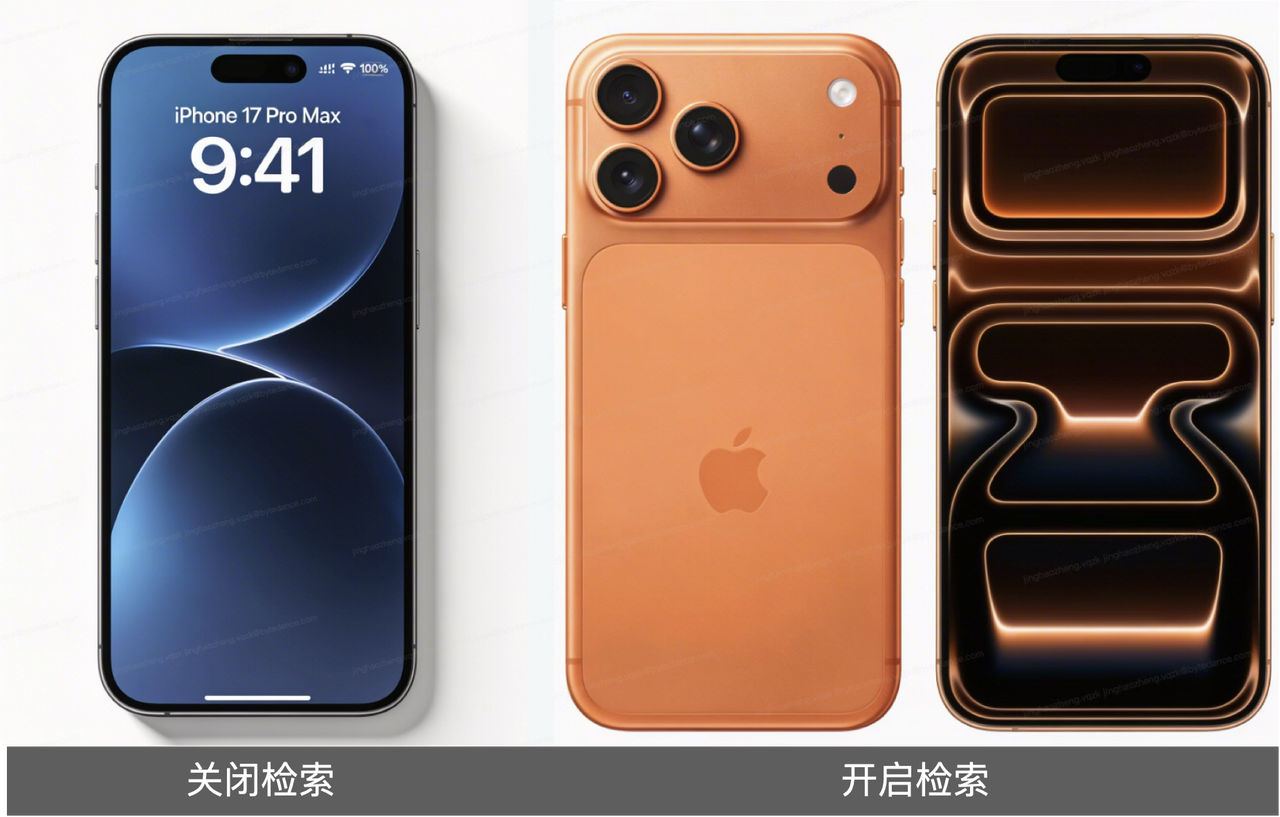
Typical application scenarios include:
-
Hot Topic Visualization: When a social event, entertainment news, or tech product becomes a hot topic, users can immediately generate related concept images, promotional posters, or social media graphics. For example, when the iPhone 17 series becomes a discussion focus, users can directly generate concept design images of "iPhone 17 Pro Max".
-
Celebrity Image Generation: For public figures, internet celebrities, or emerging stars, the model can retrieve the latest image characteristics through search and generate more accurate and timely portraits or scene images.
-
Local Cultural Effects: For creations requiring specific regional cultural elements, such as "Jingdezhen Chicken Chop Brother on the beach at dusk, film-style portrait", the model can combine retrieved regional characteristics and cultural backgrounds to generate works with stronger local flavor.
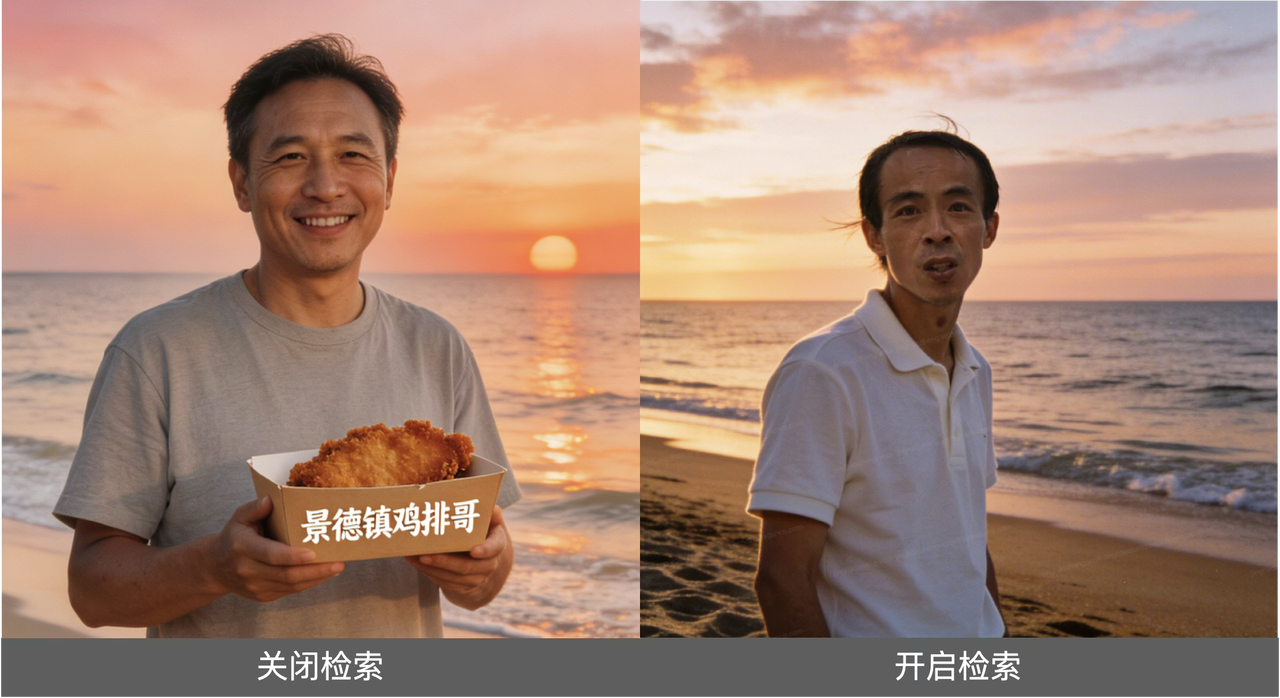
Brand and Product Reference Design
In the commercial design field, Seedream 5.0-Preview's search capability also shines. Designers can reference existing brand visual styles, product interfaces, or marketing materials to quickly generate creative content that aligns with brand tone.
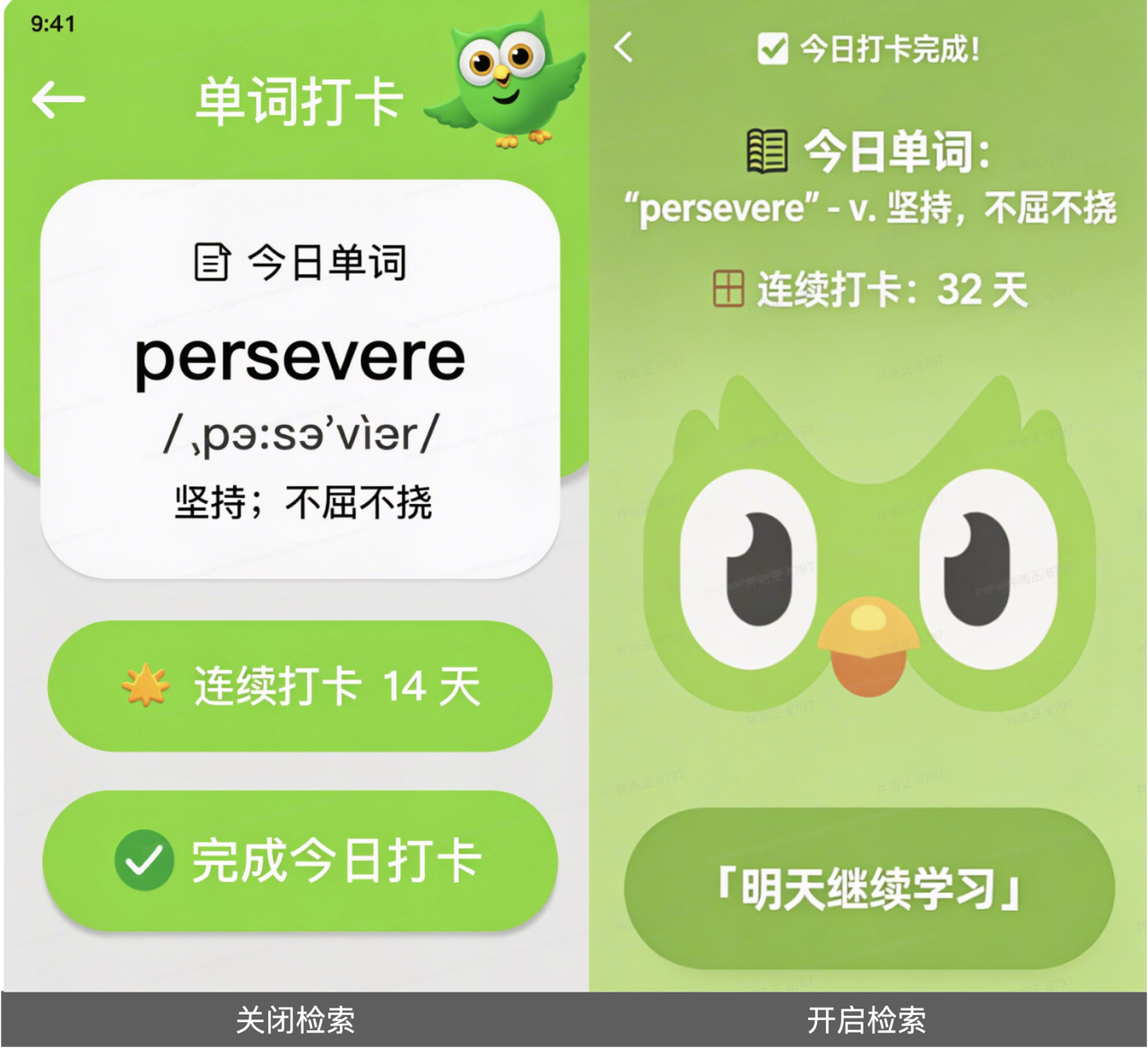
For example, entering "Reference the 'Duolingo' App interface, design a vocabulary learning check-in page with words and days, using that green bird element", the model can accurately understand Duolingo's brand visual language, including the signature green, owl mascot, and clean interface layout, generating highly consistent design proposals.
Sports Events and Major Activities
For creations that need to incorporate specific event elements or activity themes, such as "Generate a Nordic Winter Olympics poster: Norwegian aurora background, skier in national uniform, requiring Winter Olympics elements and mascot", the model can retrieve accurate event information, national representative elements, and visual symbols through search, ensuring the accuracy and professionalism of the generated content.
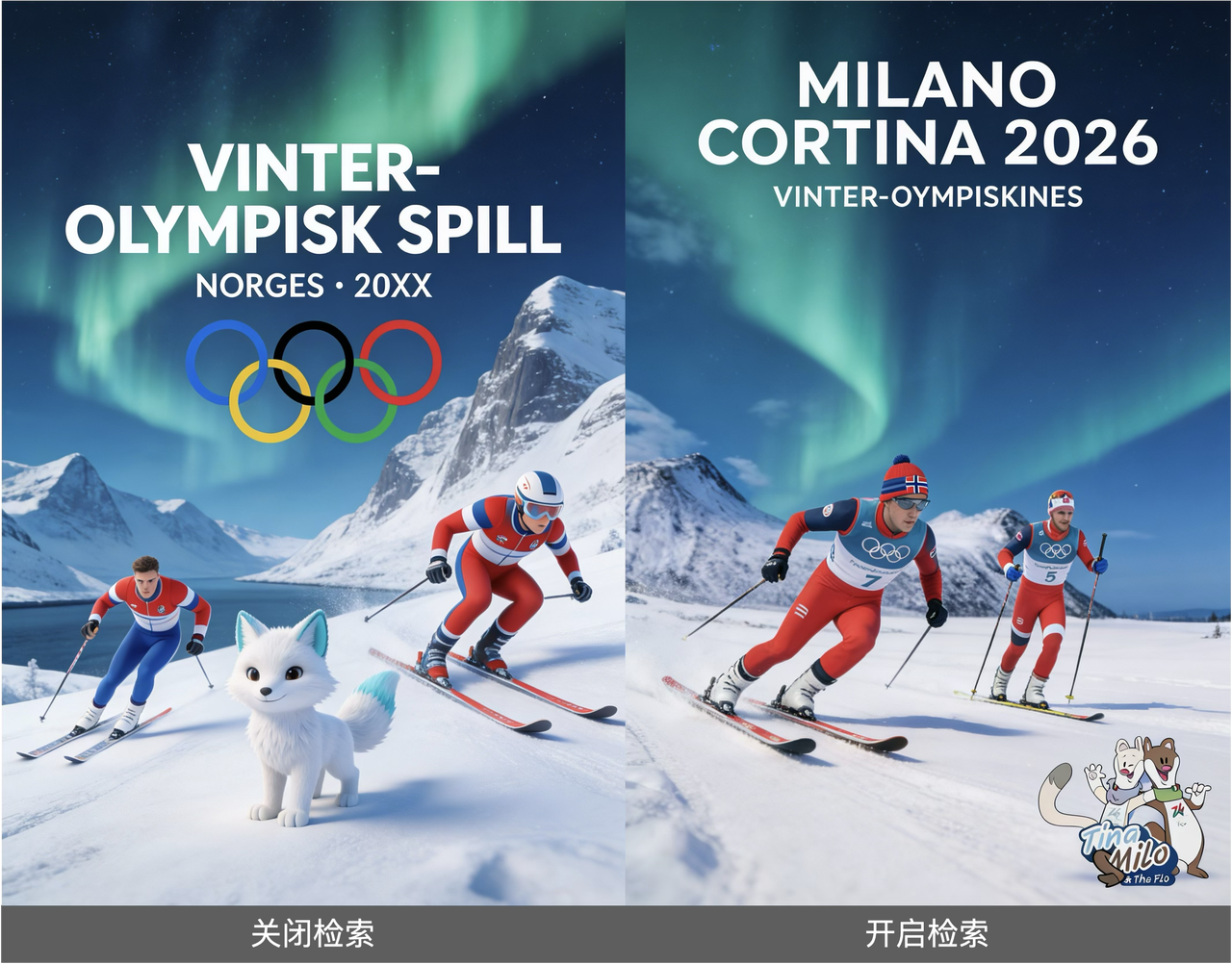
Usage Tip: Turning on the search switch doesn't guarantee that the search function will be triggered. Typically, prompt words containing timeliness vocabulary or long-tail keywords are more likely to activate the search function. Users should also pay attention to verifying the authenticity of generated content and copyright issues.
2. Precise Editing Control: From "Text-to-Image" to "Precise Instruction Following"
Seedream 5.0-Preview achieves a qualitative leap in image editing and generation control, significantly reducing the common "text doesn't match image" phenomenon in traditional AI models and achieving precise response to textual detail instructions.
Significantly Enhanced Instruction Following Capability
The model's ability to understand and execute complex descriptions has been significantly enhanced, accurately capturing nuances and specific requirements in prompt words.
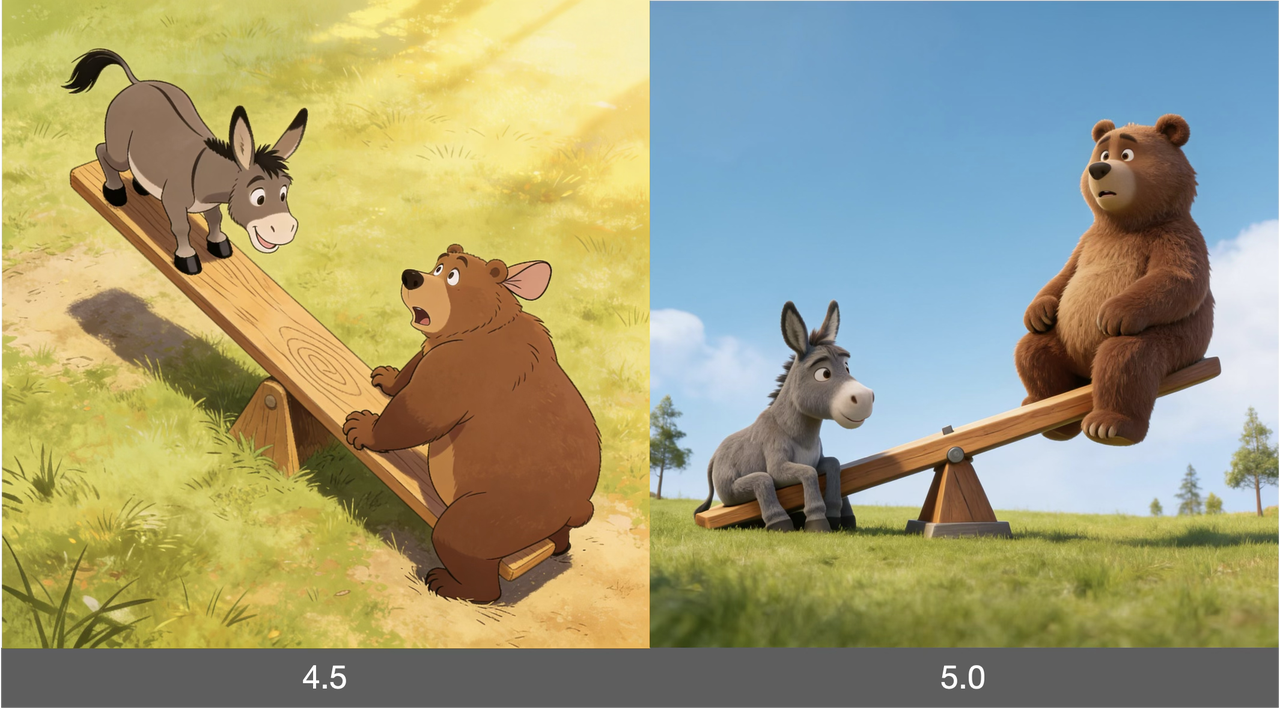
Case Studies:
- Complex Scene Construction: "A bear and a donkey playing on a seesaw, the donkey is much heavier than the bear" — The model not only generates the seesaw scene but also accurately represents the tilting effect caused by the weight difference.
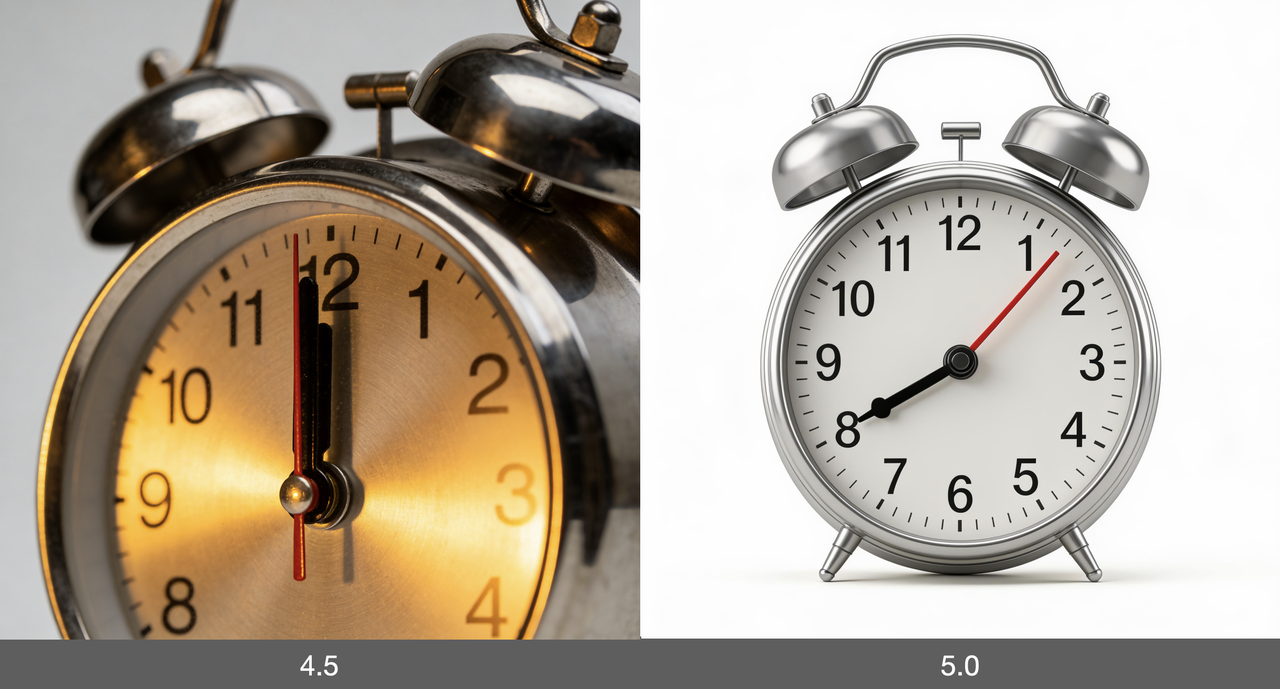
- Precise Detail Control: "A metal alarm clock, with a black short thick hour hand pointing to 8 and a red thin long minute hand pointing to 1 on the dial" — The model precisely controls the color, shape, and direction of the hands, demonstrating excellent detail control ability.
- Fashion Flat Lay Photography: "Based on the reference image, extract a fashion flat lay photography image: including character outfits and props in hand" — Able to extract key elements from reference images and recombine them.
Multi-Image Composition and Image Editing
Seedream 5.0-Preview supports multi-image input and complex image composition operations, providing creative workers with greater room for expression.
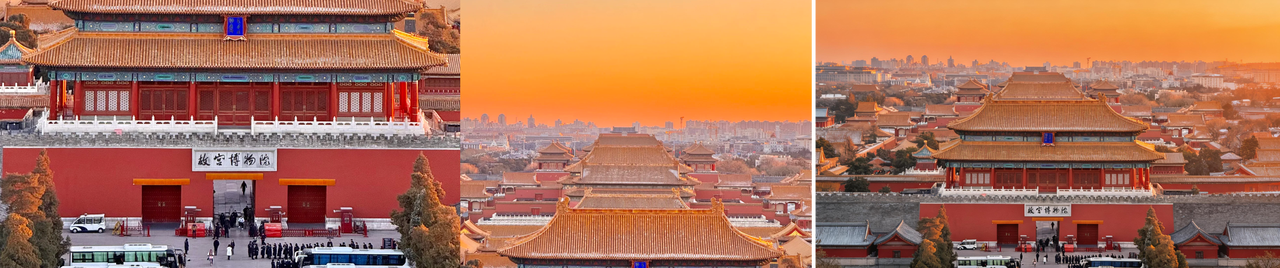
Typical Editing Functions:
- Image Composition: Intelligently fuse elements from multiple images, such as "Combine image 1 and image 2 into one image"
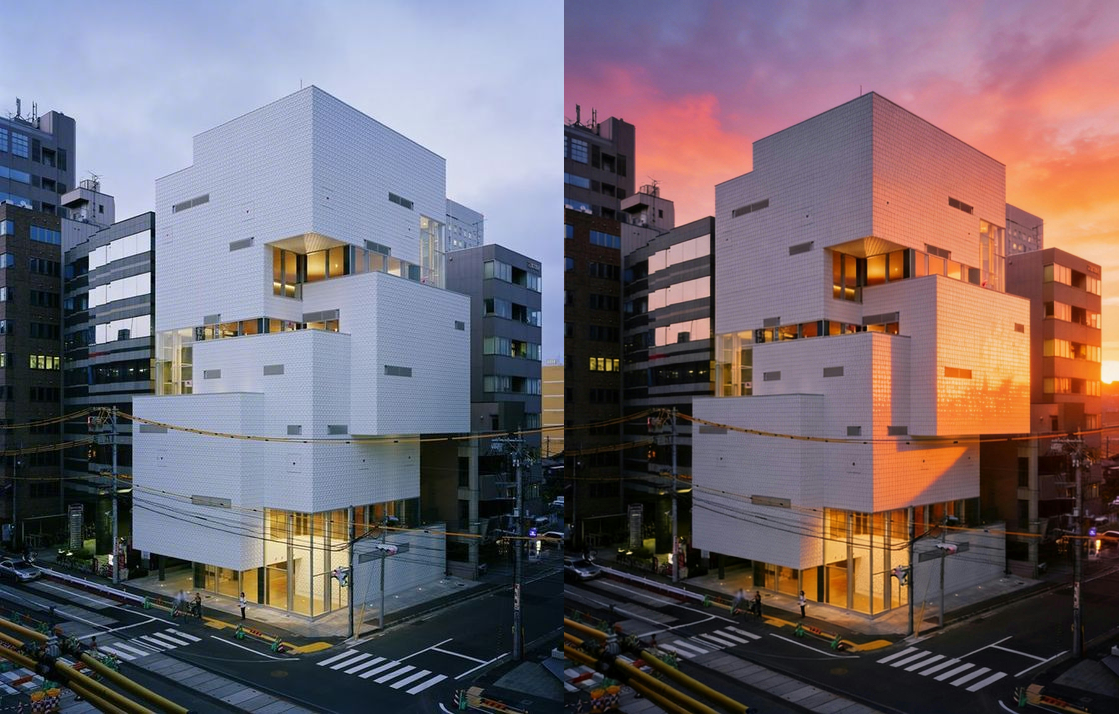
- Scene Replacement: "Replace the cloudy sky with a gorgeous sunset background, warm orange" — Achieve precise scene atmosphere conversion
- Physics Effect Simulation: "Generate waves approaching the bow of a black-red cargo ship, creating obvious disturbance" — Demonstrates understanding of physical interactions
Feature Transfer and Style Learning
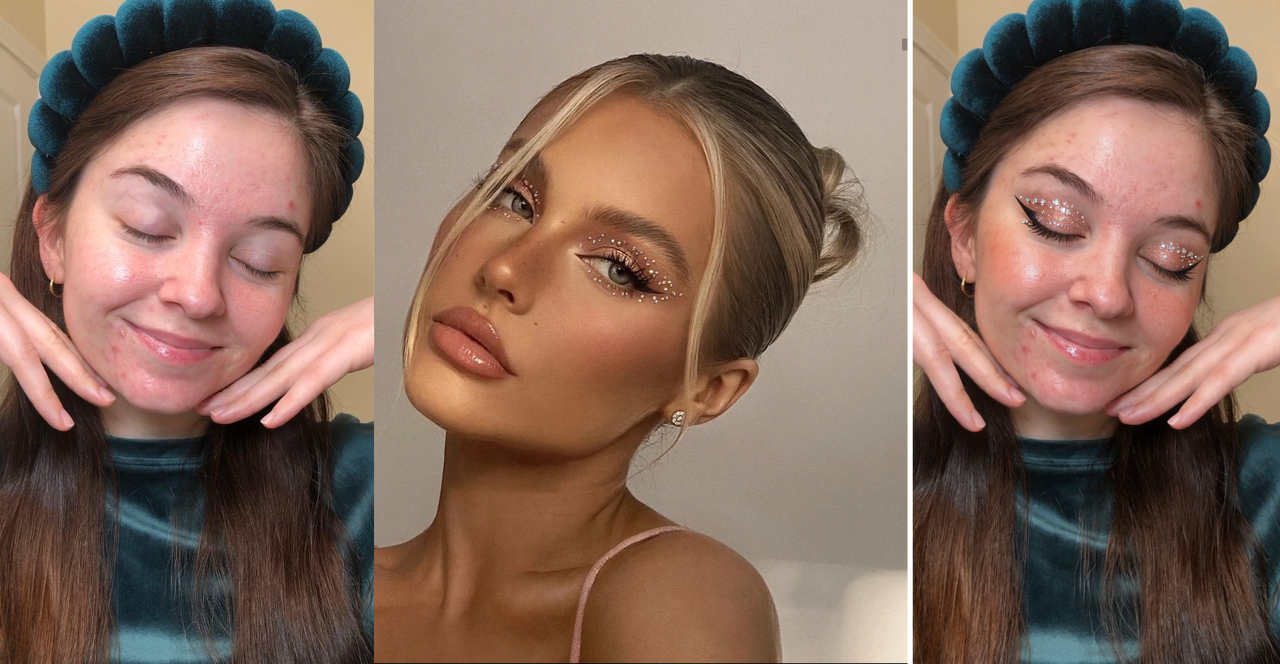
This is one of Seedream 5.0-Preview's most innovative features. The model can accurately reference visual characteristics such as color tone, style, makeup, and lens perspective, achieving cross-scene style transfer and application.
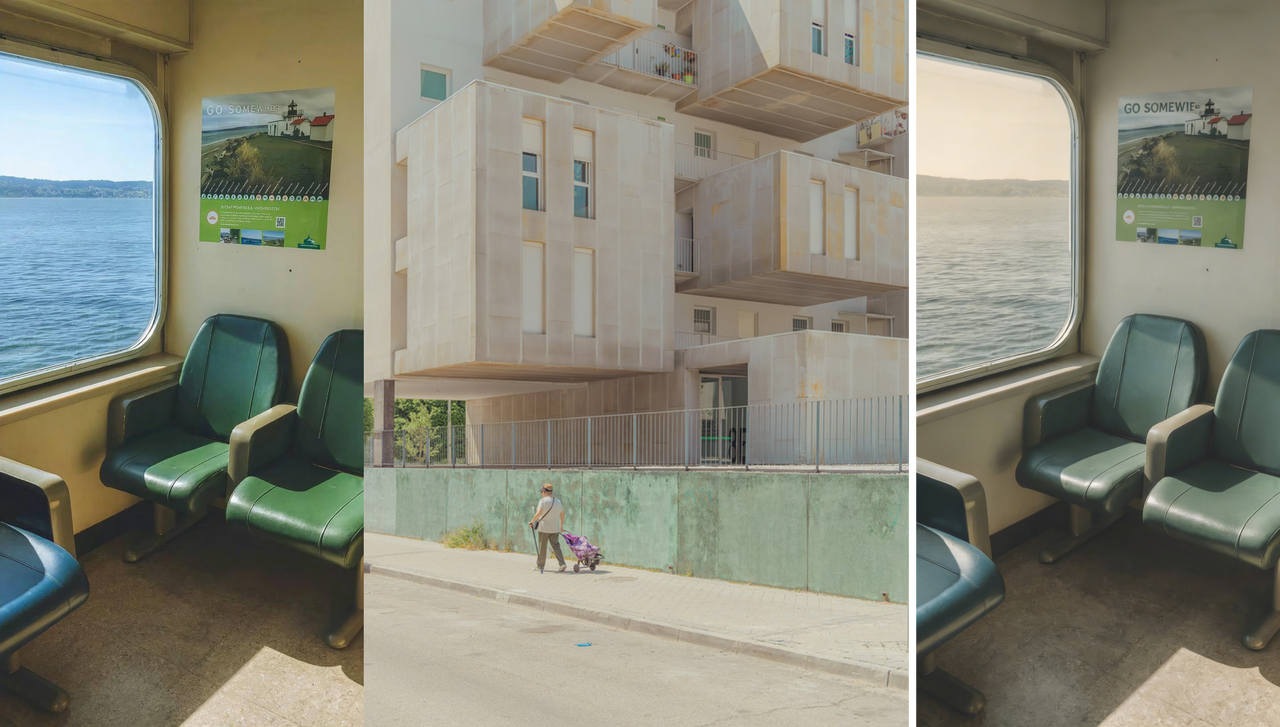
Feature Transfer Application Scenarios:
- Color Tone Transfer: Apply the color tone style of one image to another
- Makeup Transfer: Transfer makeup effects from reference images to target characters
- Brand Style Continuation: Reference existing brand visual designs to generate serialized promotional materials
- Product Style Unification: Identify product subjects and apply specific design styles
Example Reference and One-Click Application
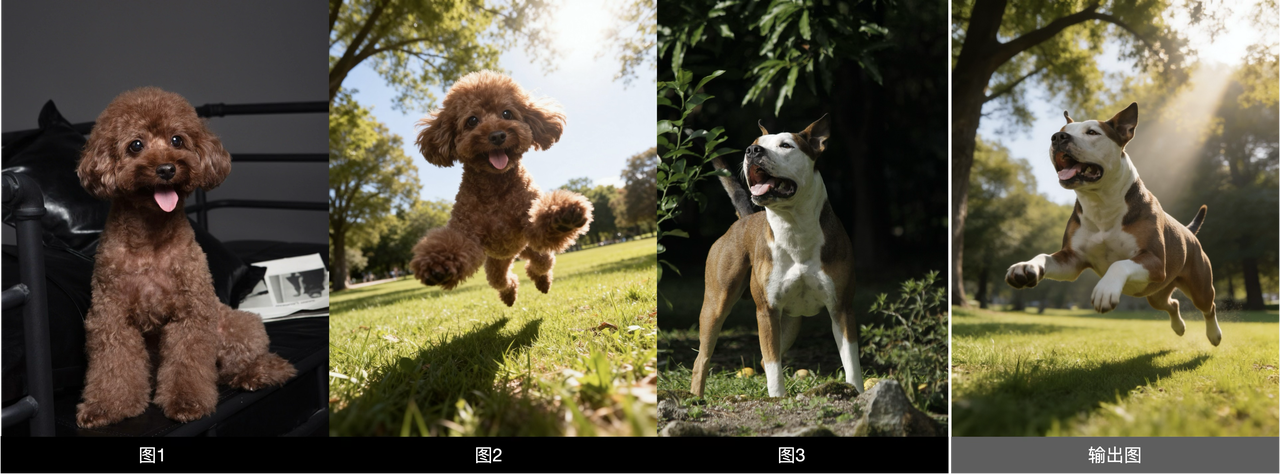
Seedream 5.0-Preview introduces a revolutionary "example learning" function that can automatically learn the transformation logic in example images and apply it to users' works with one click.
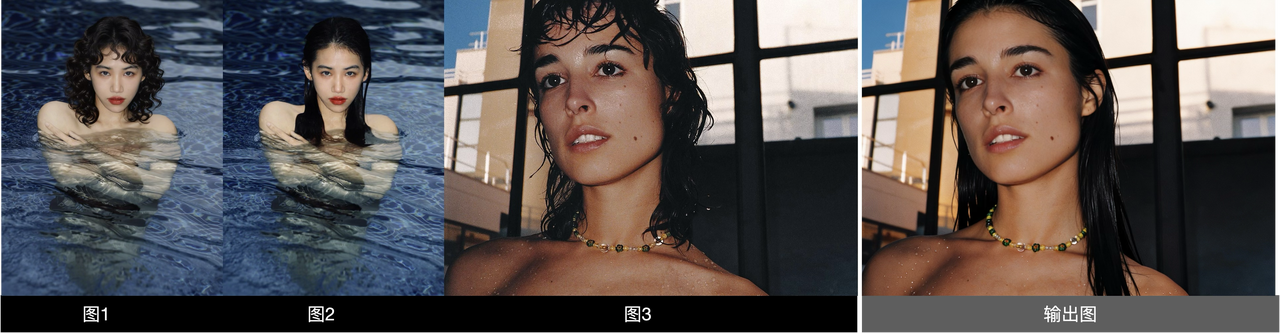
Users only need to provide "the change from image 1 to image 2" as an example, then specify "do the same operation on image 3", and the model can automatically understand the transformation rules and apply them. This greatly simplifies complex image editing workflows, allowing non-professional users to easily achieve professional-level creative effects.
Supported transformation types include:
- Hairstyle modification and transformation
- Scene switching and replacement
- Material texture conversion
- Perspective and composition adjustment
3. Intelligent Logical Reasoning: AI's "Thinking" Ability
The deepest technical breakthrough of Seedream 5.0-Preview lies in its intelligent logical reasoning capability. This is not just image generation, but AI's understanding and deduction of complex logical relationships.
Complex Logical Deduction
The model can accurately capture the intrinsic logical associations in prompt words, support complex multi-step reasoning requirements, and intelligently optimize the composition layout of creations.

Reasoning Capability Display:
- Classification and Distribution: "Classify the flowers in image 1 by variety and place them separately in the three vases of image 2" — The model needs to identify flower varieties, understand classification logic, and consider vase placement positions
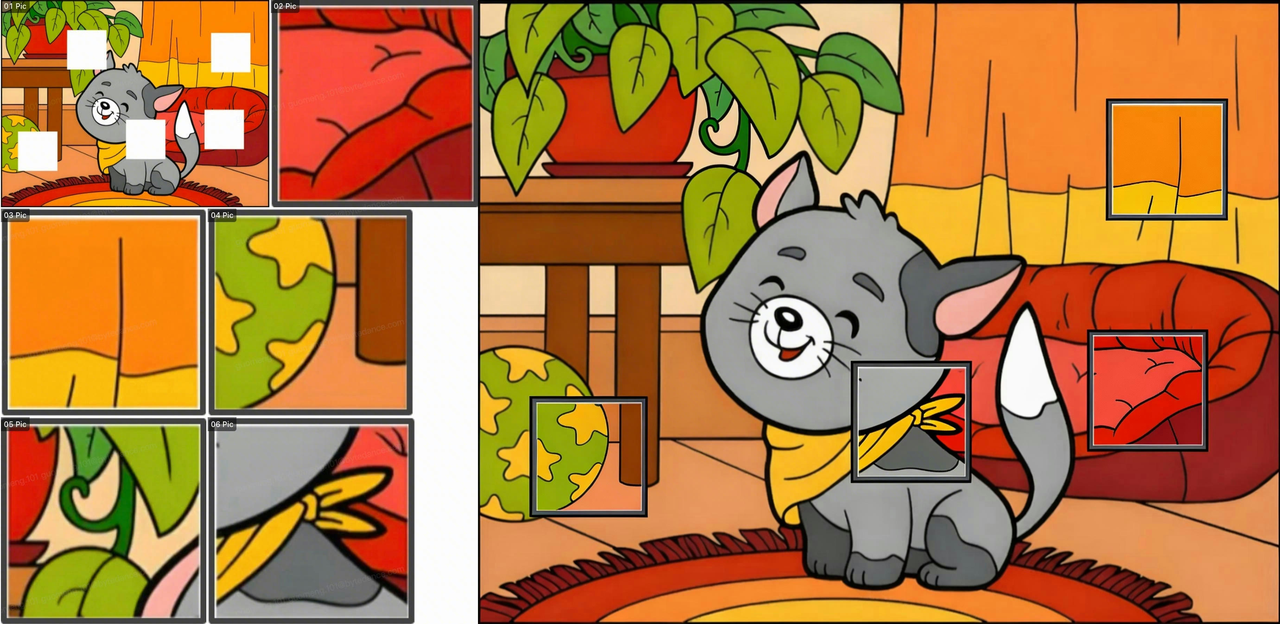
- Space Filling: "Fill the white blank area of image 1 with images 2, 3, 4, 5, and 6" — Understand spatial relationships and reasonably layout multiple elements
- Character Position Optimization: "Place the three people in image 1 in appropriate positions in image 2" — Consider perspective, proportion, and scene coordination
Physical World Knowledge
Seedream 5.0-Preview has built-in deep understanding of physical world laws, making generated images more reasonable and natural in spatial layout, object relationships, and visual logic.
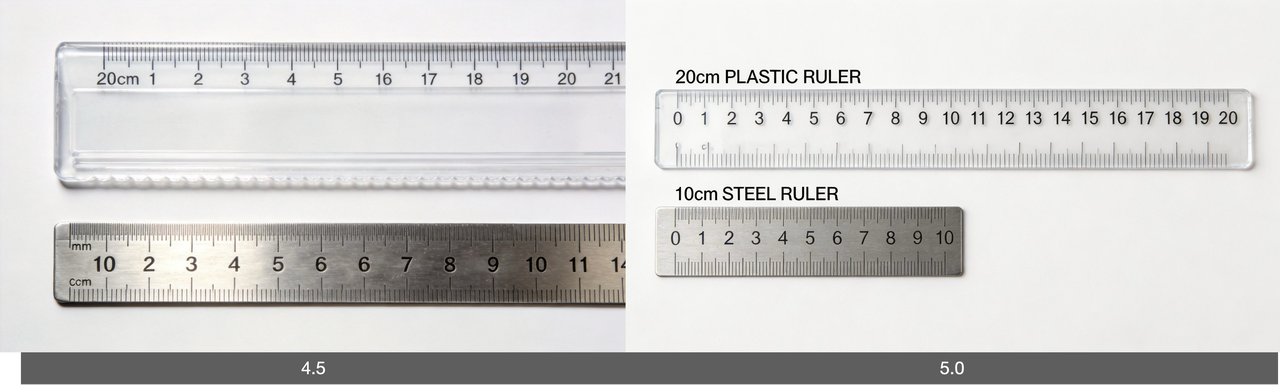
Physics Knowledge Application Scenarios:
- Size and Proportion: Accurately represent the real size relationships of objects, such as "Two stationery rulers, the top one is a 20cm plastic ruler, the bottom one is a 10cm steel ruler"
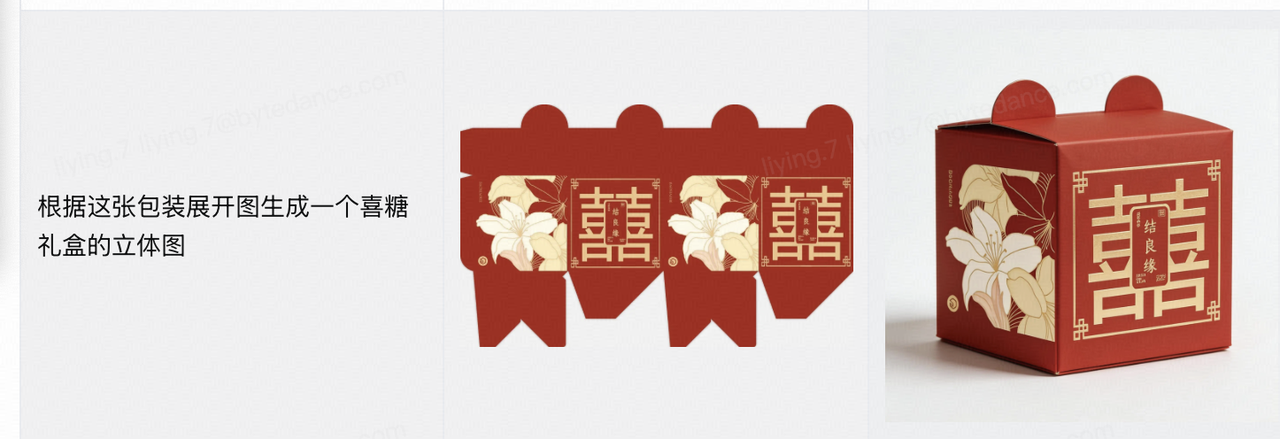
- 3D Unfolding and Folding: Generate 3D effects from packaging展开图, or reverse operations
- Object Combination: Understand how multiple objects combine into a whole, such as "Use all the images to assemble a bicycle"
Vertical Industry Knowledge
The model has built-in professional knowledge bases for vertical industries, covering biological science, architectural design, geographic information, life health, and other fields, providing accurate knowledge support for professional field content creation.

Professional Field Applications:
- Biological Science: Generate accurate human anatomy diagrams, biological process schematic diagrams
- Architectural Design: Generate architectural effect drawings from CAD drawings, or create professional architectural visualization content
- Geographic Information: Identify landmark buildings and annotate relevant information on the map
- Life Health: Identify food and annotate nutritional information such as calories
II. Seedream Full Version Comparison and Selection Guide
Dreamina AI's Seedream series models have developed multiple versions, each with its unique positioning and applicable scenarios. Understanding the characteristics of each version helps users choose the most suitable model based on specific needs.
Version Overview
| Model Version | Positioning | Core Features | Text-to-Image | Image Editing | Multi-Image Generation | Real-Time Search |
|---|---|---|---|---|---|---|
| 5.0-preview | Knowledge Reasoning | Real-time search, semantic understanding, general knowledge | ✅ | ✅ | ✅ | ✅ |
| 4.5 | Deep Editing | Portrait scenes, aesthetics, visual beauty | ✅ | ✅ | ✅ | - |
| 4.0 | High Efficiency | Fast response, cost-effective, agile output | ✅ | ✅ | ✅ | - |
| 3.1 | Artistic Beauty | Cinematic art, professional photography, precise style | ✅ | - | - | - |
| 3.0 | Layout Design | Realistic, high-definition, professional, accurate text | ✅ | - | - | - |
5.0-preview: Comprehensive Leap in General Knowledge Capability
As the latest version, 5.0-preview has achieved a comprehensive leap in general knowledge capability, particularly suitable for creative scenarios requiring timeliness, intelligence, and high accuracy.
Core Advantages:
- Timeliness: Ability to generate content related to current hot topics
- Intelligence: Powerful logical reasoning and knowledge application capabilities
- High Accuracy: High image-text matching rate, precise detail control
- World Knowledge: Rich built-in world knowledge and industry professional knowledge
Recommended Scenarios: Hot topic visualization, image information recognition, complex logical scene creation
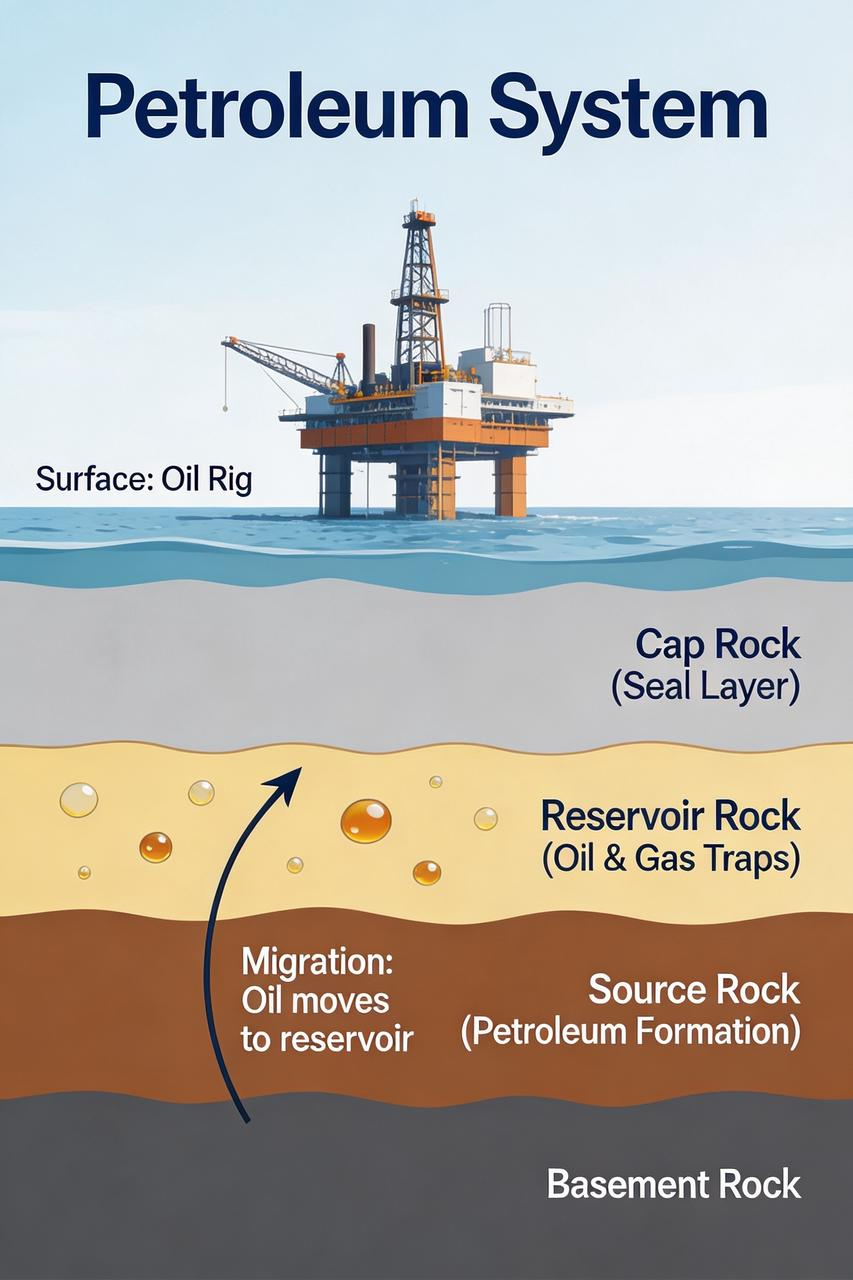
Main Limitations: AI贴图感较重, character proportions may not be reasonable in certain scenarios, text structure stability needs improvement, data chart reasoning capability is insufficient, design material texture is relatively weak.
Version 4.5: Accurate and Natural Visual Effects
Version 4.5 focuses on deep editing and visual effects, performing excellently in portrait scenes, aesthetics, and visual beauty.
Core Advantages:
- Editing Precision: Precise image editing capabilities
- Clear Small Text: Text generation is clear and readable
- Stable Structure: Image structure is stable, less prone to崩坏
- Realistic and Complete: Generated images have strong realism and complete details
- Multi-Image Input and Multi-Image Generation: Support complex multi-image creation
Recommended Scenarios: Portrait photography, advertising promotional images, commercial product images
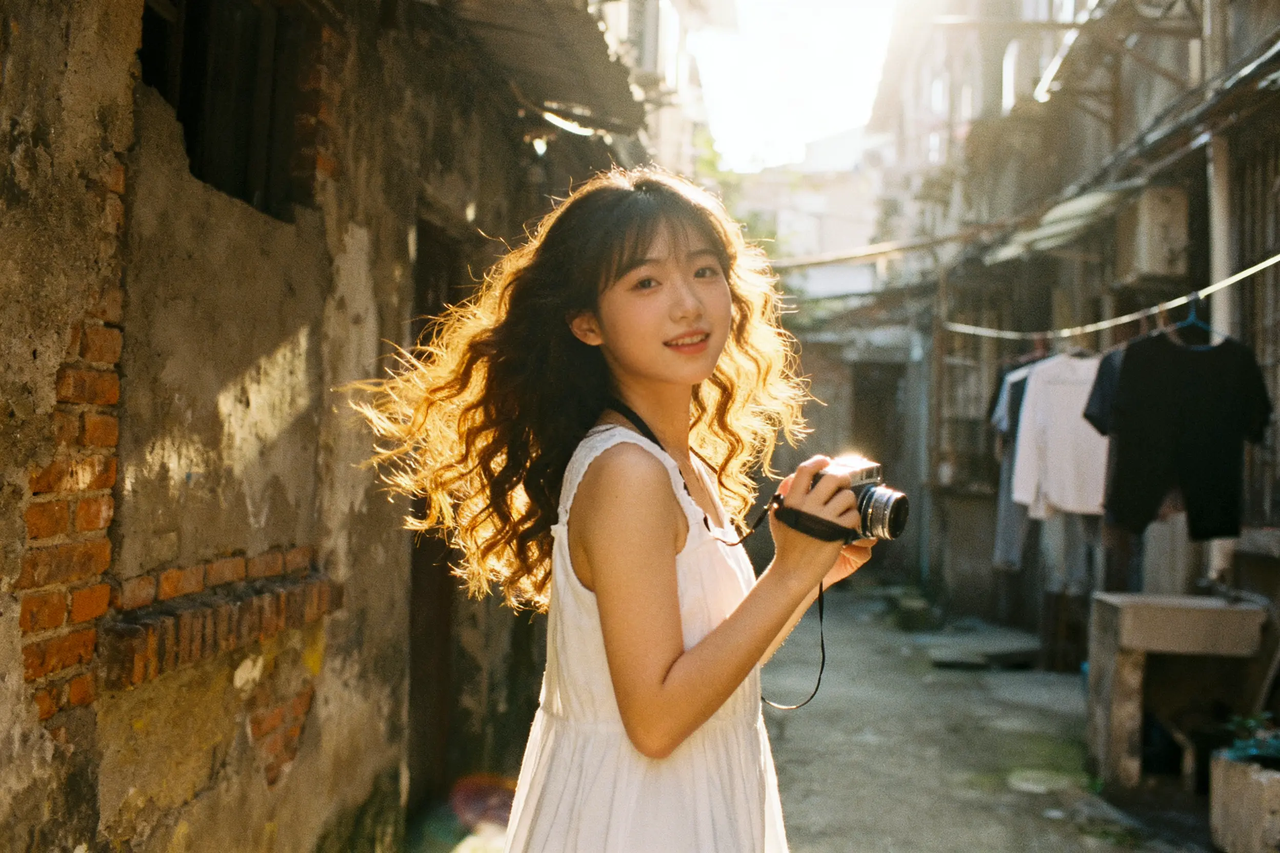
Main Limitations: Some images may have blur and composition cropping issues, reasoning capability still has room for improvement compared to version 5.0, generation cost and time are relatively high.
Version 4.0: Ultimate Cost Performance
Version 4.0 focuses on high efficiency and low consumption, achieving faster response speed and lower cost while maintaining quality.
Core Advantages:
- Image Editing: Supports basic image editing functions
- Agile Output: Fast generation, suitable for large-batch creation
- Ultimate Efficiency: Excellent cost-effectiveness ratio
- Multi-Image Generation: Supports multi-image creation
Recommended Scenarios: Storyboard production, storyboard creation, cultural and creative product design, image editing and composition

Main Limitations: Small text may have repetition or崩坏, editing accuracy is slightly lower than version 4.5.
Version 3.1: Excellent Artistic Beauty
Version 3.1 focuses on artistic beauty and styling, standing out in cinematic texture, light and shadow layers, and creative style.
Core Advantages:
- Cinematic Texture: Generated images have movie-level visual effects
- Light and Shadow Layers: Delicate light and shadow processing with rich layers
- Creative Style: Supports creation of multiple artistic styles
- Portrait Beauty: High aesthetic quality in portrait generation
Recommended Scenarios: Photography creation, movie shot simulation, graphic illustration design
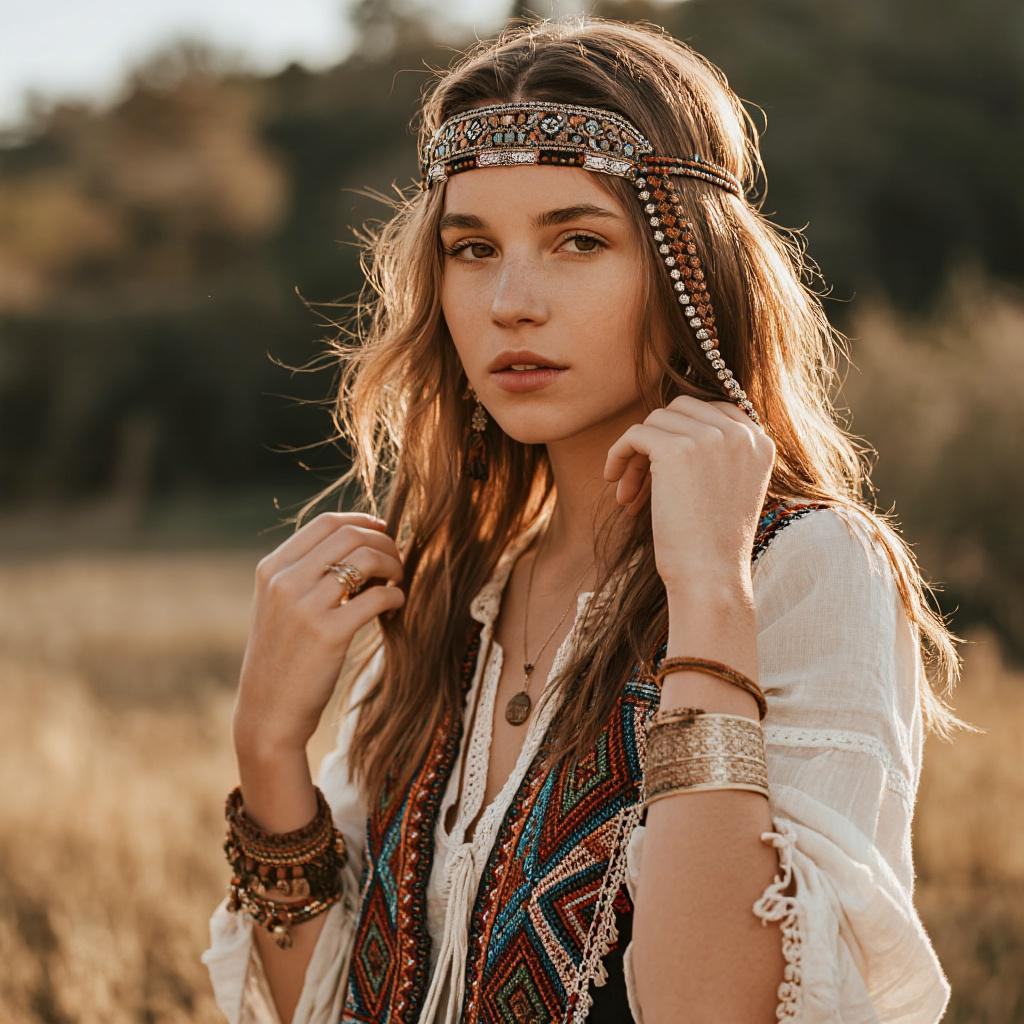
Main Limitations: Image-text matching is not as good as version 3.0, structural stability has decreased to some extent.
Version 3.0: Text Generation and Graphic Layout
Version 3.0 is Dreamina AI's professional version for graphic layout and text generation.
Core Advantages:
- Graphic Layout: Good at handling the layout relationship between text and images
- Diverse Fonts: Supports generation of multiple font styles
- Realistic High Definition: High-definition and realistic image quality
Recommended Scenarios: Graphic poster design, form composition creation, text layout design
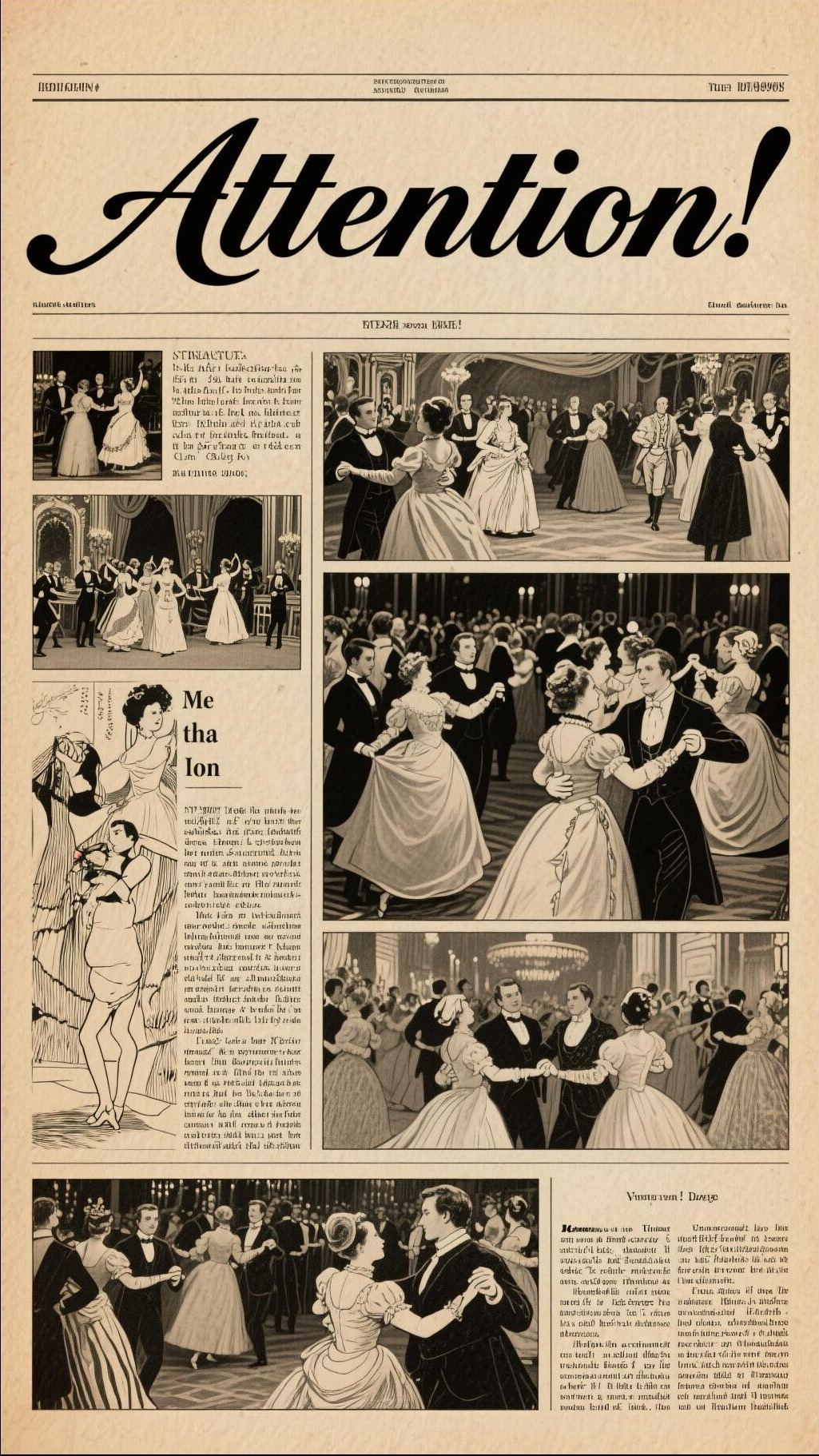
Main Limitations: Insufficient ability to reason implicit logical knowledge, poor performance in scenarios with strict industry standards, relatively weak accuracy of Chinese small text and light and shadow expression.
III. Practical Application Cases of Seedream 5.0-Preview
Case 1: Brand Marketing Material Creation
An emerging tea brand needed to create a series of marketing posters for a new product launch. Using Seedream 5.0-Preview's feature transfer function, the designer first uploaded the brand's visual specification image as a reference, then entered the prompt: "Referencing the brand design style of image 1, design a promotional poster for the new product 'Peach Oolong Tea', including the product cup, peach elements, and a fresh natural background".
The model successfully learned the brand's color system, font style, and visual elements, generating a series of poster schemes with unified style and brand-appropriate tone, greatly shortening the design cycle.
Case 2: Educational Content Visualization
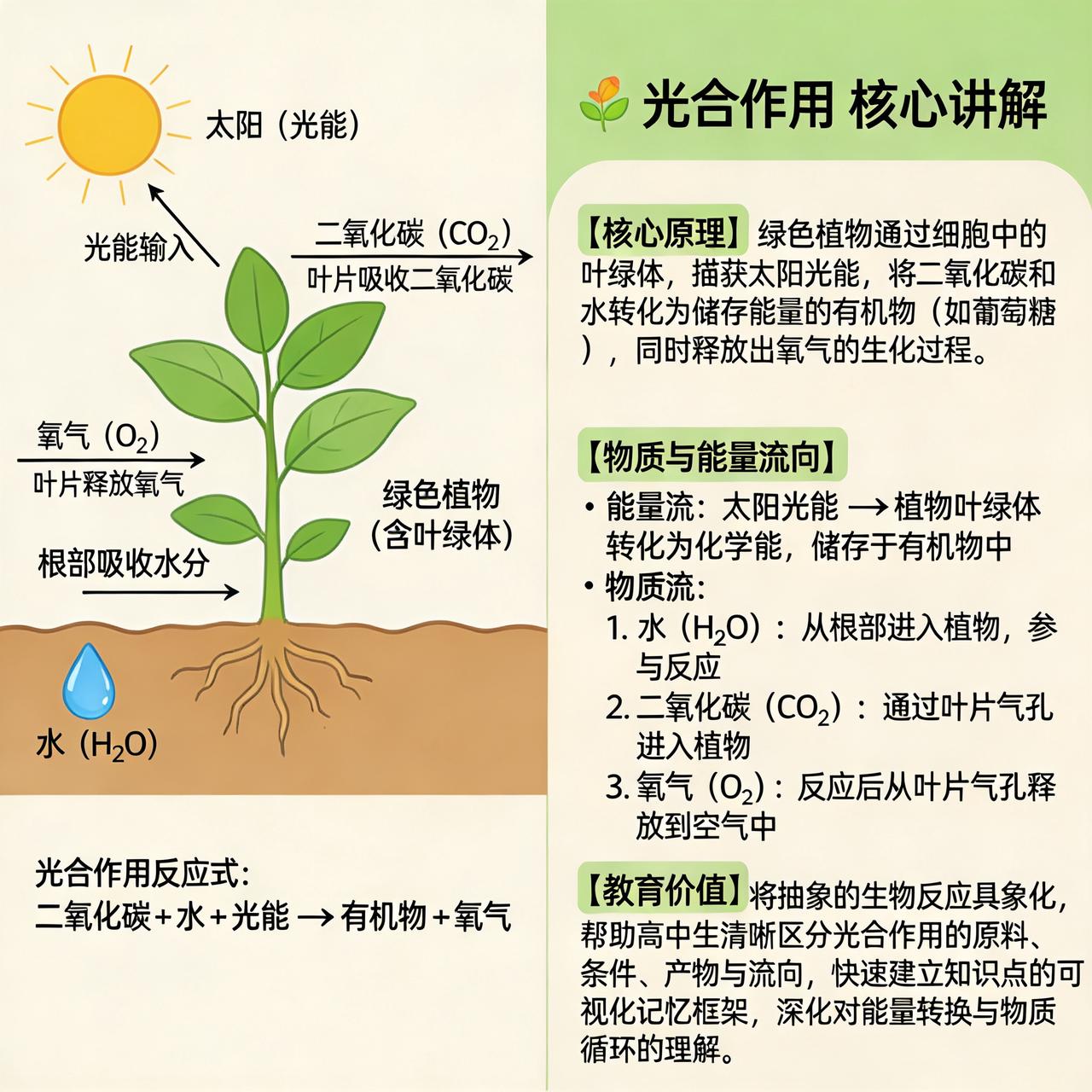
A biology teacher needed to prepare teaching illustrations of photosynthesis for classroom teaching. Using Seedream 5.0-Preview, entering the prompt: "'Photosynthesis Core Explanation' schematic diagram, left-right layout. The illustration includes core principles, material and energy flow, and educational value".
Based on built-in biological knowledge, the model generated scientifically accurate and visually clear teaching illustrations, including the core process of photosynthesis, material transformation, and energy flow, very suitable for classroom teaching use.
Case 3: E-commerce Product Image Optimization
An e-commerce seller needed to batch optimize product images. Using Seedream 5.0-Preview's example reference function, the seller provided a before-and-after comparison image as an example, then batch applied it to other product images, achieving unified visual style and quality standards.
Case 4: Hot Content Quick Response
When a popular movie was released, a self-media creator needed to quickly produce related visual content. Through Seedream 5.0-Preview's web search function, the creator could generate concept images, character images, or scene reproductions related to the movie, capturing the hot traffic window.
IV. Usage Tips and Best Practices
Prompt Writing Tips
- Specific Descriptions: Describe the image content you want as detailed as possible, including subject, scene, style, lighting, color, and other elements
- Use Reference Images: For complex style or effect requirements, uploading reference images can significantly improve generation quality
- Step-by-Step Description: For complex scenes, you can break down requirements into multiple step descriptions
- Use Logic Words: Use logical vocabulary such as "place...in...", "reference...generate..." to stimulate the model's reasoning ability
Version Selection Recommendations
- Pursuing Timeliness and Knowledge Accuracy: Choose 5.0-preview
- Portrait and Commercial Photography: Choose version 4.5
- Large-Batch Fast Generation: Choose version 4.0
- Artistic Creation and Style Exploration: Choose version 3.1
- Text Layout and Poster Design: Choose version 3.0
Resolution and Clarity
Seedream 5.0-Preview supports 2K and 4K clarity output, currently in a limited-time free phase. For scenarios requiring printing or large-screen display, it is recommended to use high-resolution output for the best results.
V. Technical Outlook and Summary
The release of Seedream 5.0-Preview marks a new stage in AI image generation technology. From simple "text-to-image" to intelligent creative assistants with web search, precise editing, and logical reasoning capabilities, AI is evolving from a tool to a creative partner.
Although the Preview version still has room for improvement in realism, character proportions, text stability, and other aspects, the technical potential it demonstrates is already exciting. With the release of the official version and subsequent iterations, we have reason to expect Seedream to bring more surprises in the AI image generation field.
For creators, mastering the usage skills of Seedream 5.0-Preview means having more powerful creative realization capabilities. Whether professional designers, content creators, or ordinary users, they can find their own creative methods from it and release unlimited creative potential.
About Dreamina AI
Dreamina AI is ByteDance's AI creation platform, committed to providing users with leading AI image and video generation services. The Seedream series models are the core technical foundation of Dreamina AI, continuously pushing the boundaries of AI creation tools.
Disclaimer: The generated images shown in this article are for technical review and display purposes only. When using AI-generated content, please comply with relevant laws and regulations, respect intellectual property rights, and pay attention to the authenticity and compliance of content.